
Progrogramming
Basics
- Introduction
- Why Computers Were Invented?
- How Computers Work?
- What Can a Computer Actually Do?
- Programming Languages
- Programming Terminology
- Programming Terminology Grouping
- Storage Family
- Task Execution Family
- Input & Output Family
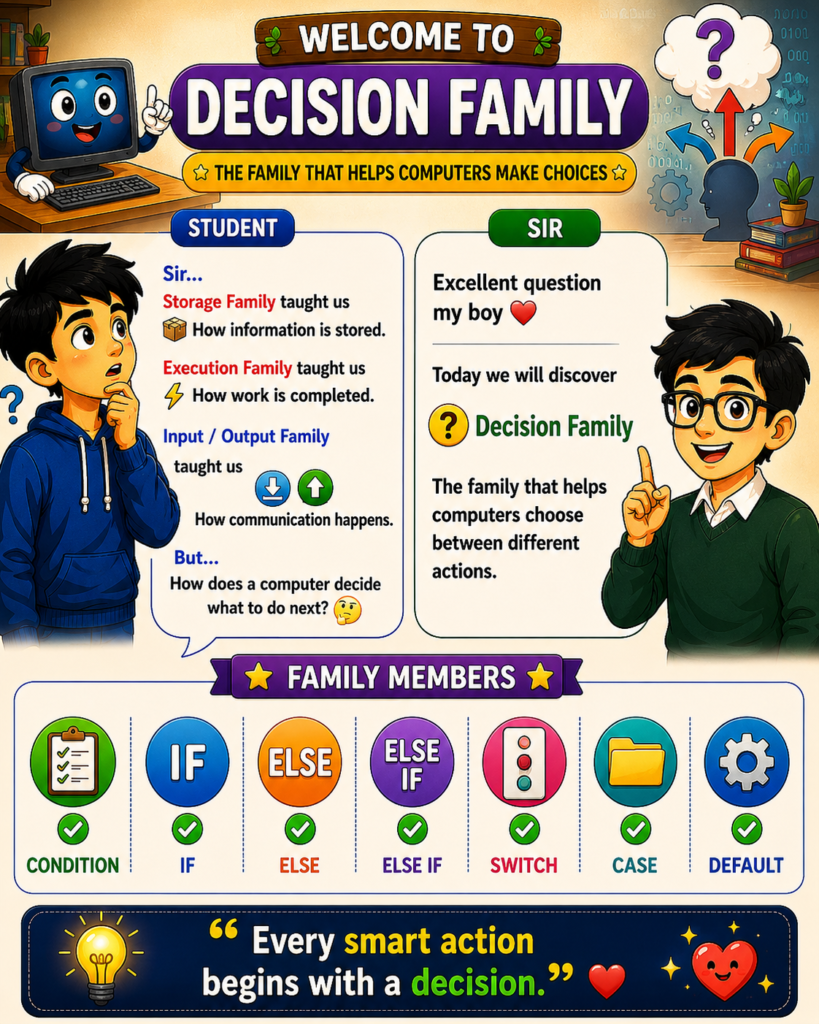
- Decision Family
- Repetition Family
- Collection Family
- Object-Oriented Programming (OOP)
- Access & Security Fundamentals
- Understanding Errors and Exception Handling
- How Applications Communicate Using APIs
- Understanding Databases
- Understanding Web and App Flow
- Understanding File Systems
- Understanding the Development Process
- Understanding Team Collaboration
- Understanding Software Performance
- Understanding the Mobile App Ecosystem
- How Websites Reach Your Screen
- How Computers Learn Like Humans
- Why Some Programming Terms Appear Everywhere
Lesson 10
How Computers Make Decisions
The fascinating journey from real-life choices to programming logic.
🤔 Why This Matters
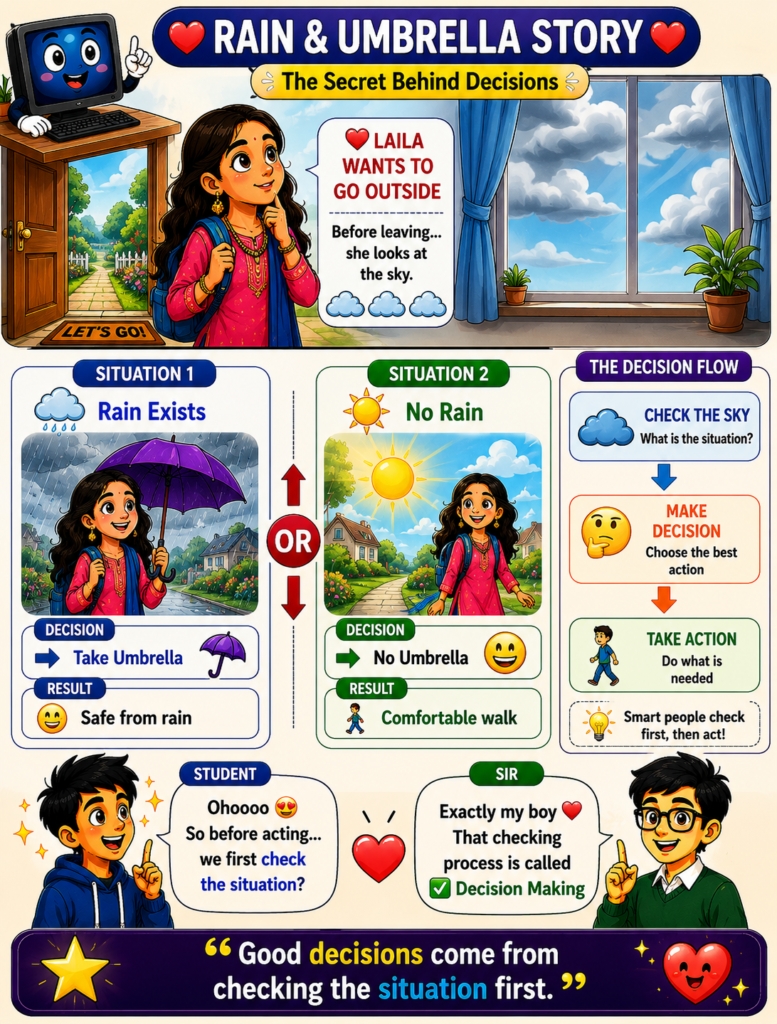
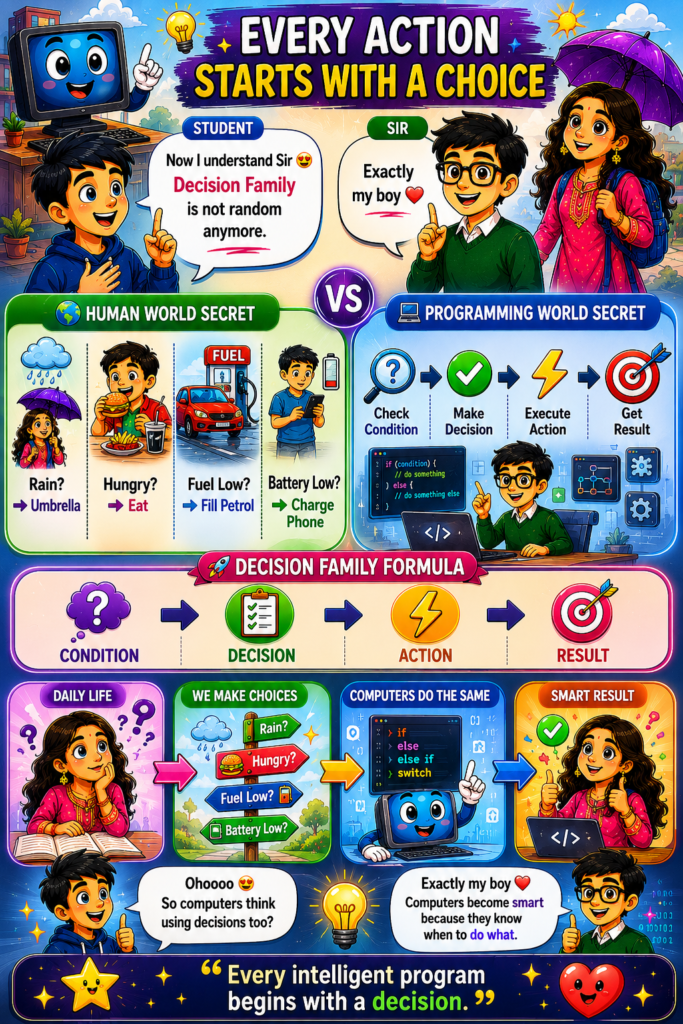
Every day, humans make hundreds of decisions without even realizing it.
🌦️ Before leaving home, we look outside and decide whether to carry an umbrella.
🍔 When we feel hungry, we decide what to eat.
⛽ When fuel becomes low, we decide to visit a petrol station.
🔋 When a phone battery is low, we decide to charge it.
These actions may seem simple, but they all follow the same pattern:
❓ Check the situation
➡️ Make a decision
➡️ Take action
Humans naturally use this process throughout their daily lives.
💻 Computers work in exactly the same way.
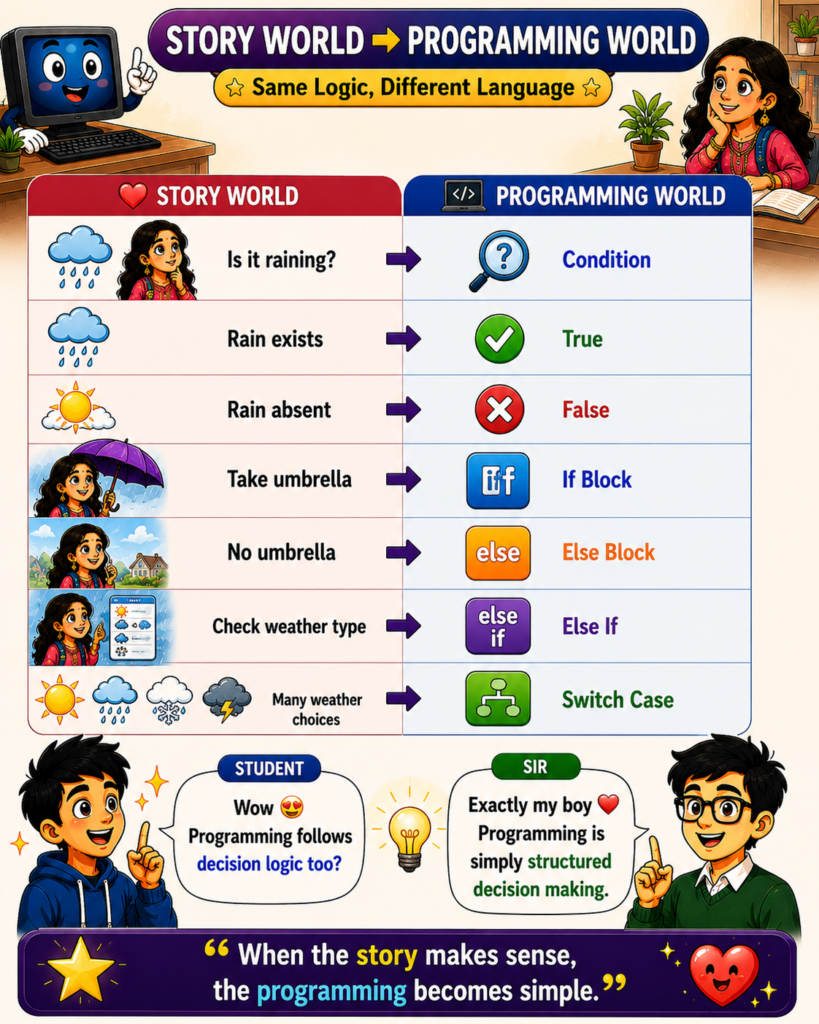
A computer cannot think like a human, but it can evaluate conditions and choose actions based on predefined rules.
For example:
🌧️ If it is raining → Take umbrella
☀️ Else → Go without umbrella
This simple idea becomes the foundation of programming decision-making.
To support different types of choices, programming languages provide powerful decision tools such as:
✅ If
✅ Else
✅ Else If
✅ Switch Case
These structures allow computers to behave intelligently by selecting the correct action for a given situation.
🤖 Every smart application we use today—from banking systems and e-commerce websites to artificial intelligence—relies heavily on decision-making logic.
Without decisions, software would simply execute the same actions repeatedly without understanding context.
The Decision Family gives programs the ability to adapt, respond, and behave intelligently.
Remember Forever ❤️
Computers become smart through decisions.
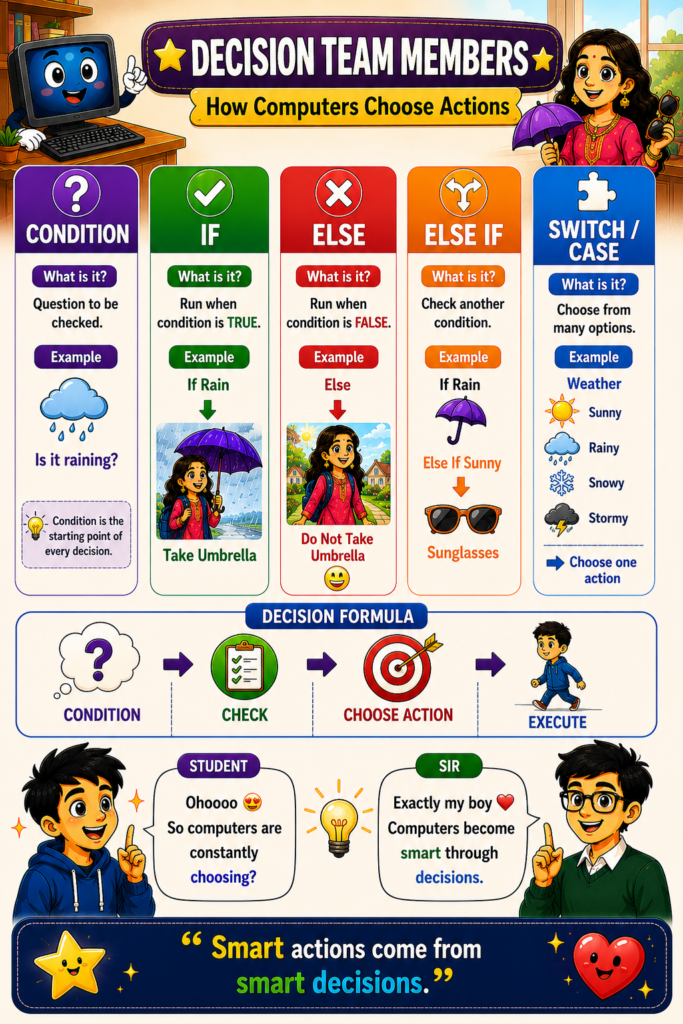
Every decision follows a simple formula:
❓ Condition
➡️ ✅ Decision
➡️ ⚡ Action
➡️ 🎯 Result
Examples:
🌧️ Rain Exists
➡️ ☂️ Take Umbrella
➡️ 😊 Stay Dry
⸻
🍔 Hungry
➡️ 🍽️ Eat Food
➡️ 😊 Energy Restored
⸻
⛽ Fuel Low
➡️ ⛽ Fill Petrol
➡️ 🚗 Continue Journey
⸻
💻 Programming follows exactly the same pattern:
IF condition is true
➡️ Execute one action
ELSE
➡️ Execute another action
🌟 Intelligent software is nothing more than thousands of well-designed decisions working together.
📌 Lesson Summary
• ❓ A condition is a question that needs to be evaluated.
• ✅ If executes when a condition is true.
• ❌ Else executes when a condition is false.
• 🔀 Else If allows checking multiple conditions.
• 🧩 Switch Case helps choose one action from many options.
• 🌦️ Real-life decision making follows the same logic as programming decisions.
• 💻 Computers become intelligent by choosing different actions based on different situations.
• 🚀 Every intelligent program begins with a decision.
⸻
I especially like this family because it creates a beautiful progression in your RWP universe:
🪨 Storage Family → Information exists
⚡ Task Execution Family → Work gets done
📥📤 Input/Output Family → Communication happens
❓ Decision Family → Computers choose actions
🔁 Repetition Family → Computers repeat actions
That sequence feels very natural and story-driven for beginners. ❤️